Here is a fantastic VFX breakdown for several Sky channel shorts
Sky VFX Breakdown, Butterflies and spots
Tuesday, May 10, 2016

Friday, May 6, 2016
Update: Re-doing the Cyberpunk Alley
A short time ago I started on a cyberpunk alley scene and thought I was going along fine until I showed it to peers. I received feedback stating the scene was a bit too rudimentary and lacked depth/clutter and detail.
So I have re-done the environment art to fit a better angle and created some model sheets to work from.


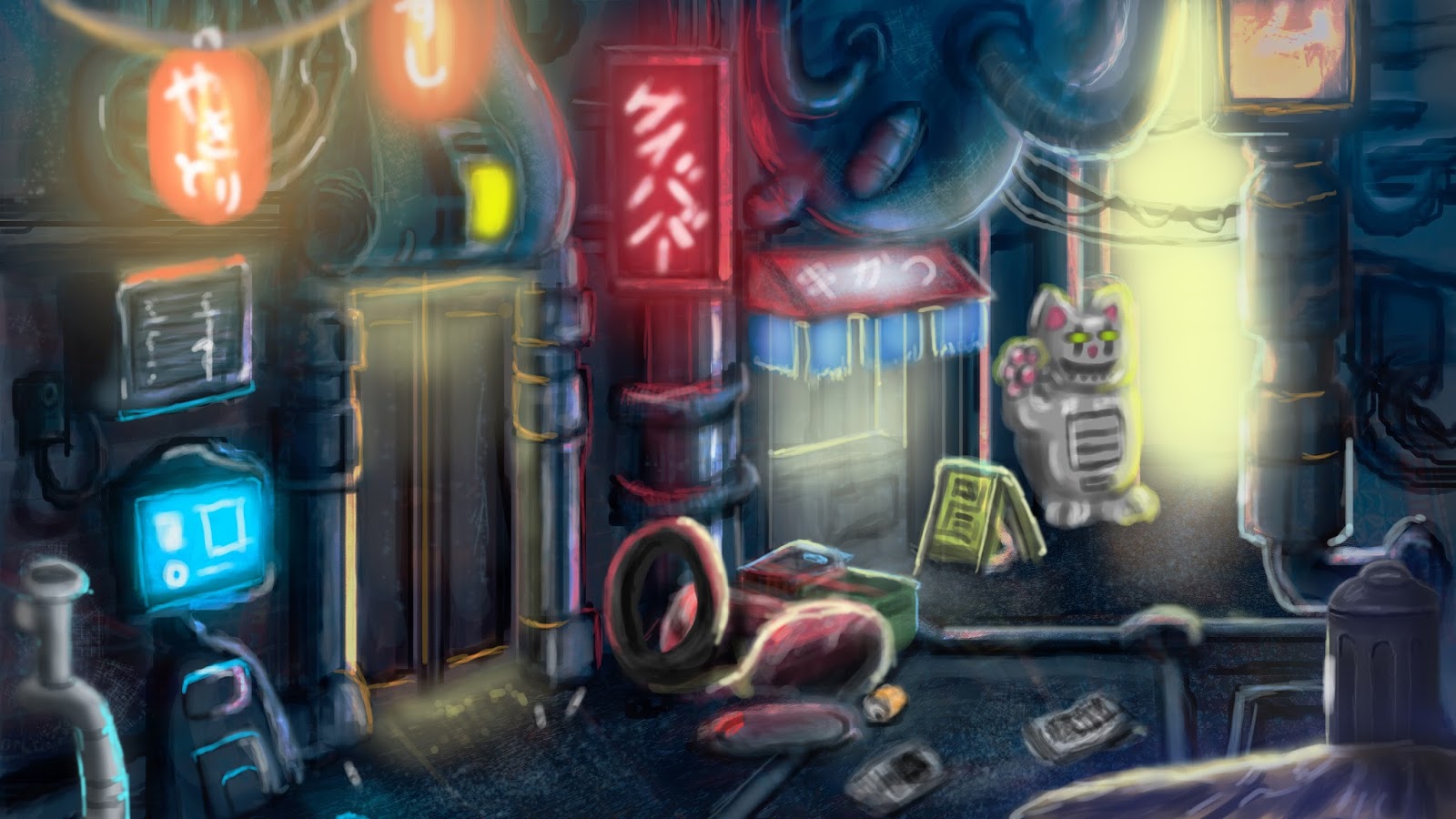
I have already created a hand full of the models in the scene and plan to update with them soon.
Tutorial #1 Texturing Seamlessly
I will be uploading 2 tutorials this week, 1 on seamless textures and another on advanced modelling techniques.
Tutorial : Easy Seamless texturing
Thursday, April 7, 2016
Shader change

I've changed the regular blinn textures out for Mila shaders and textures as the results are much nicer.
Textures and lighting

Testing Textures and lighting in the scene, making sure any repeating textures look good.
Start of 3D alley
So here is a start on the 3D alleyway I painted, I've blocked where I want objects to go and got a general idea of the scale.

Of course it is a bit rough, but it is a start. I will post updates as it gets filled out.

Of course it is a bit rough, but it is a start. I will post updates as it gets filled out.
Additional Cyberpunk work

In addition to the cyberpunk alley, I hope to add an additional 3D portrait of a character in the universe, should time permit.
Wednesday, April 6, 2016
Creating Zootopia
Here is a very detailed video on Disney's process on creating the film "Zootopia", from research and production,storyboarding and artist's thought processes to problem solving and resolving issues/changes.
Sunday, April 3, 2016
Cyberpunk Alley
While I've been thinking of things to improve in regards to my modelling, I went on a tangent and started making car parts, which while it improved some of my hard surface modelling skills, I feel like it was not down the list of things I like to create.
So instead of moving down that path, I decided to go for something a little more fun and involving to something that I actually want to do. I've always had an interest in cyberpunk, everything from Blade Runner to Ghost in the Shell and Deus Ex. It has always been my favourite genre and I feel it has plenty of space for realism and fantasy.

So instead of moving down that path, I decided to go for something a little more fun and involving to something that I actually want to do. I've always had an interest in cyberpunk, everything from Blade Runner to Ghost in the Shell and Deus Ex. It has always been my favourite genre and I feel it has plenty of space for realism and fantasy.

One of my upcoming projects will require creating a large number of buildings so I feel this will help my with some hard surface modelling and lighting. There will be a need for lots of little details and pieces to model, so this will be my focus.
Saturday, April 2, 2016
Character redesign
If I end up in another company that already has established characters or ideas, there may be a chance that the company may want to modernize some of their ideas for a new project.


For a side project, I redesigned the cacodemon from the early 1990s game Doom.

The character is a sort of demonic blob that flies and spits little plasma balls at the player, The game is already being rebooted with a modern look, but I wanted to retain more of the originals features.

Sticking to the original red, I fused the first design with a more sleek and wispy body, enlarging the eye and retaining the horns. I felt the original design did not have a very menacing mouth, so I changed it to something that more represents an angler fish. I did not want to change the core idea of the character too drastically, just update a few things. I am hoping to possibly model, texture and render the character should time permit.
Tuesday, March 29, 2016
Game Development vs Movie Development
Games and movies are somewhat different when it comes to production processes, you only need to look at games to see that they have not quite caught up to movies clarity, quality and production values. There are good reasons for this and I will touch on some things that comparatively change between developing a game and a movie
For starters, the polygon count, texture size and post-effects.
Video games cannot quite match the polygon count of films as of yet and often have to cheat shapes and polygon counts to get similar results to film. Generally a polygon budget for assets such as characters, terrain, world objects and interactive objects tend to be in the hundreds to 10s of thousands, rather than the millions that can be offered in film. Generally the higher polygons are converted into a normal map and then applied to the base mesh for games.

An example of a character model for a game: Uncharted 4
(http://www.cgmeetup.net/home/making-of-uncharted-4-nathan-drake/)

Golum Model from the Film Lord of the Rings
(http://www.tdubic.com/making-of-2/making-of-gollum-the-hobbit-unexpected-journey/)
As you can see, the model for film has a greater polygon count on the base mesh. while the base mesh on the game character is much less and uses larger polygons to fill in the space. Game developers have to consider the polygon count, how much can fill the frame at once and also due to games being more reactive, have assets that can be shown and rendered in milliseconds (also known as frame time) as they need to be shown as the player reacts to the game and what they can see.
Textures are also significantly smaller in games, which tend to have textures from 256x256 pixels all the way up to 4096x4096 on average.

An example of a character using a single 4k texture map
(model extracted from Rainbow Six : Siege)

Character from the film Avatar
(http://sourcefed.com/)
Film characters and models can have 8k+ texture maps or even hundreds of 4-8k maps per model
“Almost every asset rendered by Weta for Avatar was painted to some extent in MARI. A typical character was around 150 to 170 patches, with 30 or more channels (specular, diffuse, sub-surface, etc) and 500k polygons at Sub-division level one. The full texture set ran to several tens of gigabytes, all of which could be loaded in MARI at the same time. The biggest asset I saw being painted was the shuttle, which came in at 30Gb per channel for the fine displacement detail (500, 4K textures). Assets of over 20M polys can be painted.” - Jack Greasley
Now since video cards and ram are limited on PCs and game consoles when assets are fetched from the Video Ram and dedicated Ram, game developers have to budget for smaller, compressed textures and in some cases, less layers per material/shader.
Games, as they need to be rendered in real time and non-linearly, require instant rendering times down to the microsecond. Films will have the advantage of having every scene pre-rendered and the luxury of objects having higher quality, but does not have the spontaneous real time control of games.
Which comes down to animation: Animation in games requires more branching animations for character as they are required to blend between character actions and player control
Ninja Gaiden 2 : A good example of spontaneous and large sets of animation
Since the player expects the character to behave properly when the controller buttons/stick is touched, you would expect that a character would need to transition accordingly. So if a character walks then runs, then jumps then attacks, the animation will need to flow between each corresponding action. Unlike film, this is less linear.
Not to say that films have it any better, generally the workflow is much more linear: the scene is set, the characters have been story boarded and the characters/action can go from one pose to the next in a more structured way.
This is only a small piece of the overall picture, I have not covered things like dynamics and post processing, bit you can already see the kinds of differences and challenges film and game developers face when creating something in their medium.
Sources:
Mari covers Avatar's Models in glory
https://www.thefoundry.co.uk/case-studies/mari-and-avatar/
Thursday, March 17, 2016
References and textures
One of the most important things when it comes to any form of art or 3D art is reference and materials to work from.
One project I am working on requires buildings and architecture, so I made sure I got hundreds of reference photos.
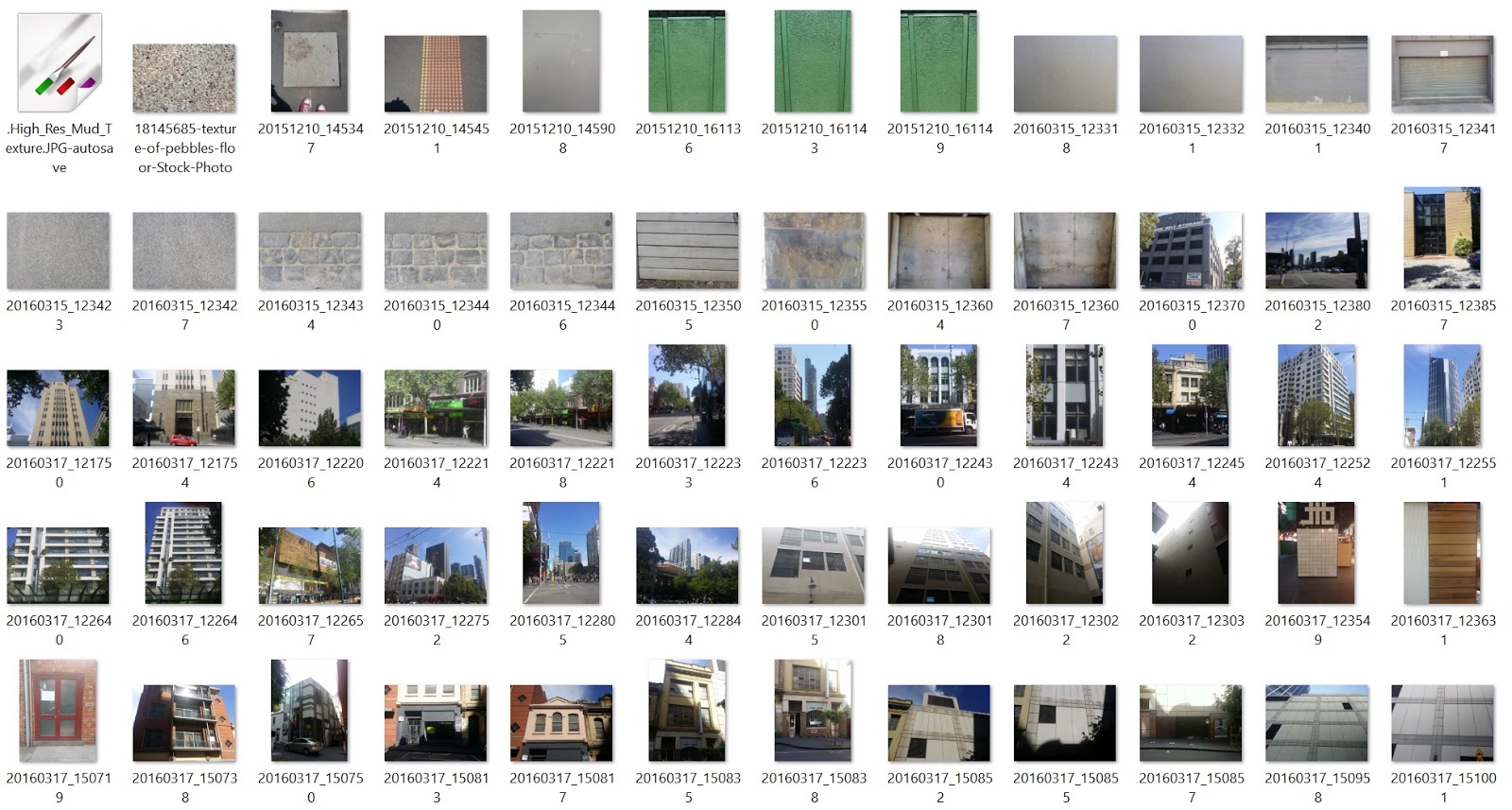
Some of the photos/references taken
With these reference photos, I can extract information about objects, their texture, their relative size and use this information to create new assets.


Using a programme such as DDo, Substance Designer or Crazy bump, the texture from the photos can be lifted and specular, bump, diffuse, normal and ambient occlusion can be made. If the texture requires repeating for memory conservation, I use Krita's tiled texture tool to make textures seamless. These will be important for creating and covering large areas of a model like a brick wall to give the illusion of there being much more than just the single texture.
Saturday, March 12, 2016
Rejected work
One of the worst things to happen while doing any form of art is having your work rejected. Unfortunately this is part and parcel of the industry, you will have ideas that will work and you will have ideas that won't work. Creating 50 images and having only 1 or none selected can be disheartening, but you move on.
I was recently given the task of designing a creature for a film and while I cannot show the final image, I can demonstrate some ideas that were put forward.


I was recently given the task of designing a creature for a film and while I cannot show the final image, I can demonstrate some ideas that were put forward.


While most ideas were not given the go ahead, I gave some ideas that the producer went ahead with - the bird like features. I tried to mix up the designs so they could be branched out and added to, but ultimately none were picked for the final design as another artist took the ideas and went another way with them. which is fine. I like to see it as building the pillars so others can finish the bridge.
Thursday, March 3, 2016
CG breakdown
Samsung SD card video breakdown
Here is a look at a breakdown of a typical CG short, from coccepts and story boarding to pre- production and then compositing the final sequence and layers.
Here is a look at a breakdown of a typical CG short, from coccepts and story boarding to pre- production and then compositing the final sequence and layers.
Sunday, February 28, 2016
Highlight Reel
This is a highlight reel of some of the best the industry has to offer
Looking at the competition is one of the best ways to see what is necessary to make it in 3D graphics.
Looking at the competition is one of the best ways to see what is necessary to make it in 3D graphics.
Knowing faults and where to fix them.
As a 3D all-rounder at this point in time, it is important to know where I wish to take myself ongoing to the future. Knowing what I can and cannot do is part of fixing and filling in the gaps of knowledge that I do not have, or subject I can improve on.
I know how to model, but honestly my hard surface modelling skills are still greatly lacking. My goal for this is to start creating shapes or objects daily that I know will require hard surface modelling and build them. Car parts, machinery and other technical objects would be ideal for this.
Animation I also need much more work on, I am still finding my animation transitions to be a little rigid and sloppy. Face rigging and animation I have not fully started yet, besides shape blending. Even then it needs much more work. My thoughts on this is to model and face pose at least 2 characters with different features and make them move/talk transition between animations. Feedback is always critical in these as what I might see to be correct, may be perceived as incorrect in another persons eyes. I have a chance to work on a character for a 1 minute short, so I will use this character as a starter.
I have already been assigned with some game work - A first person character and a wolf model, this will also help with animation. I have never animated an animal so new rules and techniques will apply.
I know how to model, but honestly my hard surface modelling skills are still greatly lacking. My goal for this is to start creating shapes or objects daily that I know will require hard surface modelling and build them. Car parts, machinery and other technical objects would be ideal for this.
Animation I also need much more work on, I am still finding my animation transitions to be a little rigid and sloppy. Face rigging and animation I have not fully started yet, besides shape blending. Even then it needs much more work. My thoughts on this is to model and face pose at least 2 characters with different features and make them move/talk transition between animations. Feedback is always critical in these as what I might see to be correct, may be perceived as incorrect in another persons eyes. I have a chance to work on a character for a 1 minute short, so I will use this character as a starter.
I have already been assigned with some game work - A first person character and a wolf model, this will also help with animation. I have never animated an animal so new rules and techniques will apply.
Thursday, December 17, 2015
Procedural generation
Procedural generation has been around for quite some time in video games, dating back as far as 1978 with rogue-likes.Procedural generation allows for game engines to create content from scratch based around a set of rules and parameters, then builds worlds/levels/geometry/objects/objectives either on the fly or pre-generated such as in videogames like Diablo 1, 2 and 3. As technology and graphical enhancements become more and more complex, so does the complexity of the worlds that need to be generated. The above video shows just how far procedural generation has come.
Wednesday, December 9, 2015
Saturday, December 5, 2015
Metallic vs Specular
With technology and the advancement of lighting/shaders comes new ways to do what was used in the past. Real time rendering has gone from no polygons, to flat shaded polygons, to shaded polygons to shaders and materials together. As tech gets better, more options open to developers in making things more accurate.
Take for example the specular map, which comprises of a black and white image where white is the most reflective and black has no reflection.

Left : No specular Right: full specular
As you can see, specular allows for a surface to have a reflection value. Variation of how much light is reflected is in the lightness and darkness of the spec map.
This has been the most common method for most 3D software and game engines to render.
There is a problem though, it lacks proper variance control. Objects are either smooth or rough, flat or reflective and sometimes a mix of both. Take a car that has been in the junkyard for too long for example, the paint would have a reflection (provided it was a glossy paint), the metal will have its own reflection which might not be as bright as the paint, then the metal may be work or have rust that eats away the overall shine. This is an example of layers of variance. Specular is useful for this, but when it comes to more accurate reflection and object roughness, the metallic layer is the direction to go and has now become the standard for real-time graphics developers

A roughness layer from shiny to dull.

A metallic layer from 0-1
So the question is, can a metallic and roughness layer mimic a specular?

The answer is yes.
In fact, developers that are finding the value in metallic/roughness are now preferring it to specular/gloss.
http://forum.unity3d.com/threads/official-specular-vs-metallic-workflow.274612/
Disney use and prefer physically based rendering and metallic/roughness to their older methods due to the accuracy it provides.
https://disney-animation.s3.amazonaws.com/library/s2012_pbs_disney_brdf_notes_v2.pdf
Unreal Engine 4, Unity, Frostbite Engine, Fox Engine and many other modern engines have now moved on to this method. Technology moves and everyone should move with it.
Monday, November 23, 2015
More on Physically Based Rendering.

Tutorial: Physically Based Rendering, And You Can Too!
Here is an excellent breakdown on physically based rendering that goes through a series of materials and surfaces that will greatly effect how a 3D model will look under lighting conditions, from rough rubber to shining metal.
Tutorial: PBR Texture Conversion
Here is the tutorial on the same page that highlights what went into creating the materials
Subscribe to:
Posts (Atom)